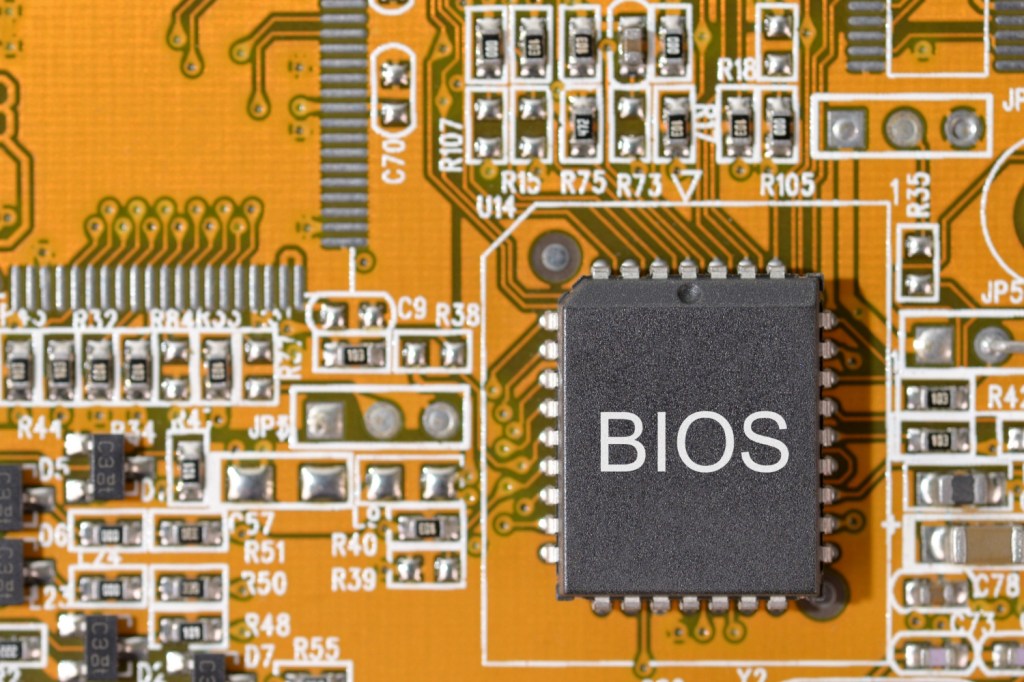
The BIOS, or Basic Input/Output System, is a crucial piece of software embedded in a computer’s motherboard. It serves as the first program that runs when the computer powers up, playing a vital role in the boot process. Upon activation, the BIOS conducts a series of diagnostic checks on various hardware components such as the memory, keyboard, storage devices, and graphics card. This initial assessment, often referred to as the Power-On Self-Test (POST), ensures that all essential hardware functions correctly before proceeding.
If any components fail the POST checks, the BIOS will often display an error code or series of beeps, indicating a problem that needs to be addressed. This step is critical as it helps prevent system malfunctions during the operation.
Once the hardware checks are successfully completed, the BIOS then locates and initializes the boot loader of the operating system. It transfers control to the operating system, allowing the computer to load and operate its user interface.
While the BIOS is found in almost every computer, it’s worth noting that many modern systems are transitioning to UEFI (Unified Extensible Firmware Interface). UEFI offers several advantages over the traditional BIOS, including faster boot times, support for larger hard drives, and a more user-friendly interface. However, the BIOS remains an important foundational element in computer architecture, providing a reliable and time-tested method for ensuring that the boot process runs smoothly and efficiently.
Understanding the role of the BIOS is essential for anyone interested in computer technology, as it lays the groundwork for everything that follows in the system’s operation. Properly functioning BIOS settings can also impact system performance, secure the boot process, and even provide a platform for system overclocking and hardware management. Despite advancements in technology, the foundational concepts of the BIOS continue to hold significance in the realm of computing.



 FutureTech
Leave a comment